


We recently announced that our original curriculum application, Forethought, will be retiring in October of 2027. Since we launched Beacon, we’ve been talking about Forethought’s eventual retirement, but now that the date has been set, we wanted to create some resources to help current Forethought customers make an educated decision about their next steps. Some of our most loyal Forethought users can’t imagine using anything else! After all, some of our customers have been using Forethought for more than a decade. To us, this is encouraging. If you love Forethought, you’re going to love Beacon.
In this article, we’ll go over the most fundamental differences between the two applications. We are proud of Forethought and everything it’s done to make your plans come to life for students. We couldn’t have made Beacon the better application if we hadn’t first made Forethought. That being said, it’s time you transitioned. Keep reading for all of the reasons why.
Real-time analysis for in-the-moment coaching support
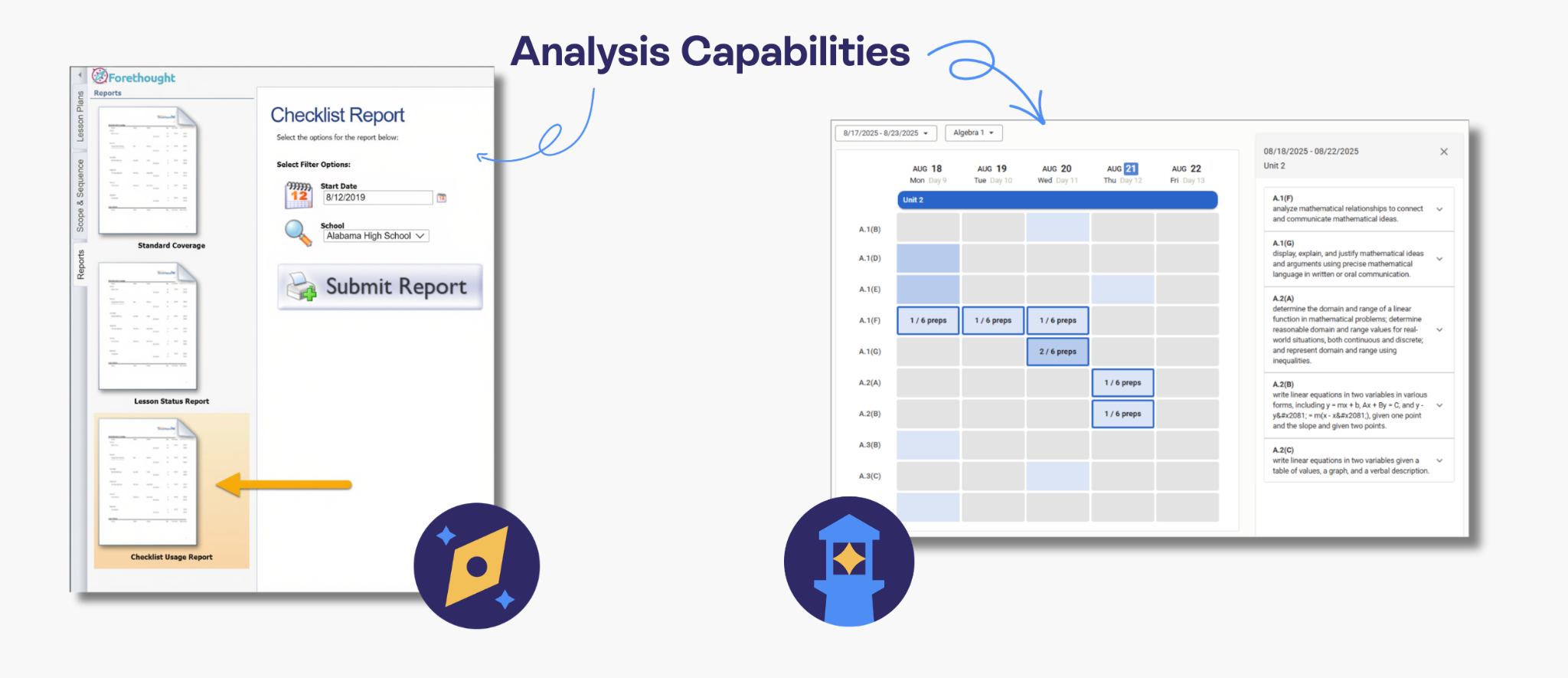
Most planners you can find out on the open internet won’t support your curriculum improvement plans. Forethought has some analytical capabilities, allowing administrators to run reports that help them make program improvement decisions. However, Beacon’s live data analysis capabilities make this process faster, easier, and more useful for in-the-moment coaching support.
Rather than after-the-fact analysis, administrators can look at their Scope and Sequence Analysis window, which shows how teachers are covering the standards right now. If you notice an assessment coming up and one of your teachers isn’t planning to cover an important standard that will be on the upcoming assessment, you can offer your support to that teacher to figure out what needs to be done with their plans (or with the assessment) to get the most important information to the students.
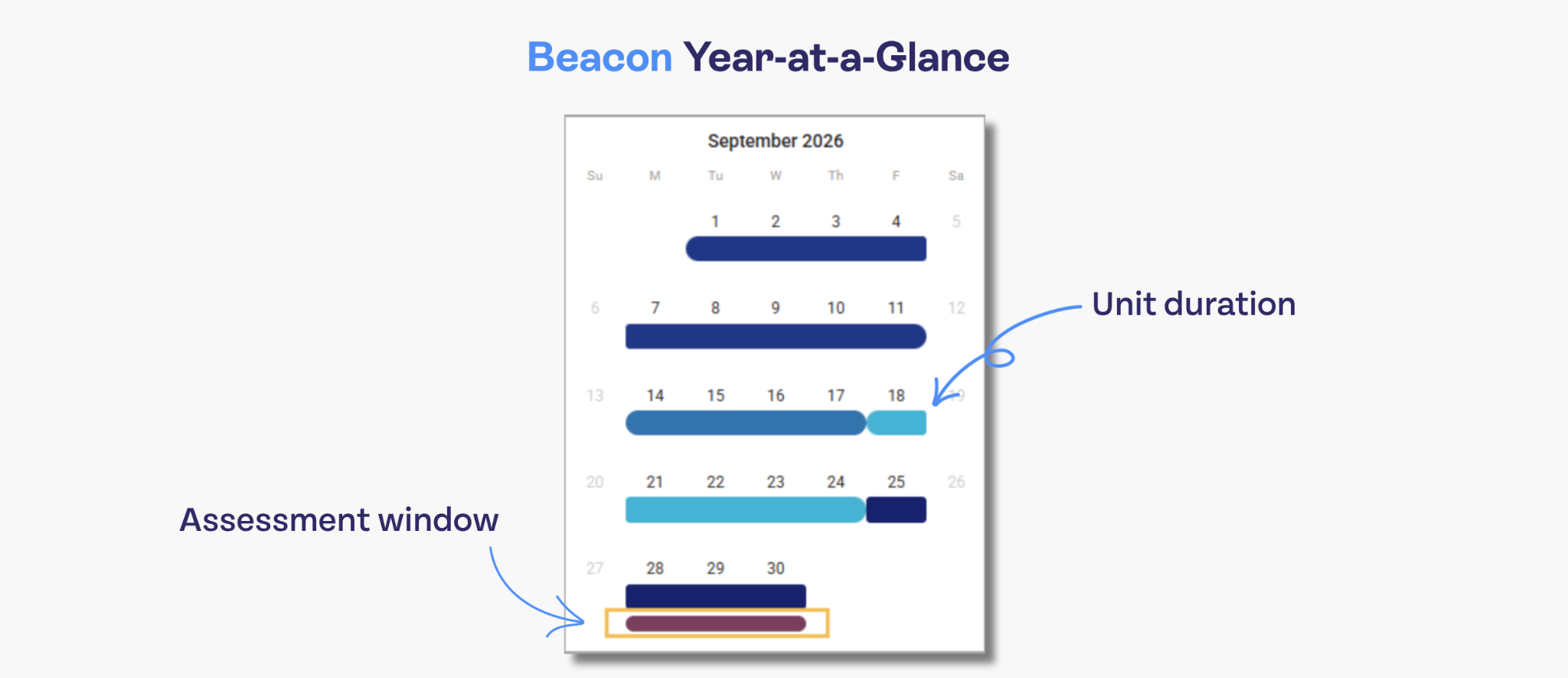
Because assessments are on the calendar, you can also more easily analyze which curriculum decisions led to the best student performance. Simply compare assessment scores with teacher strategies, lesson plans, and standards coverage to see how your department can collectively improve curricula during the school year. If you have purchased Aware, our data management and assessment software, this integration is connected to the Year-at-a-glance, so upcoming assessments are automatically visible to teachers.
Your resources stay synced, so you have total version control
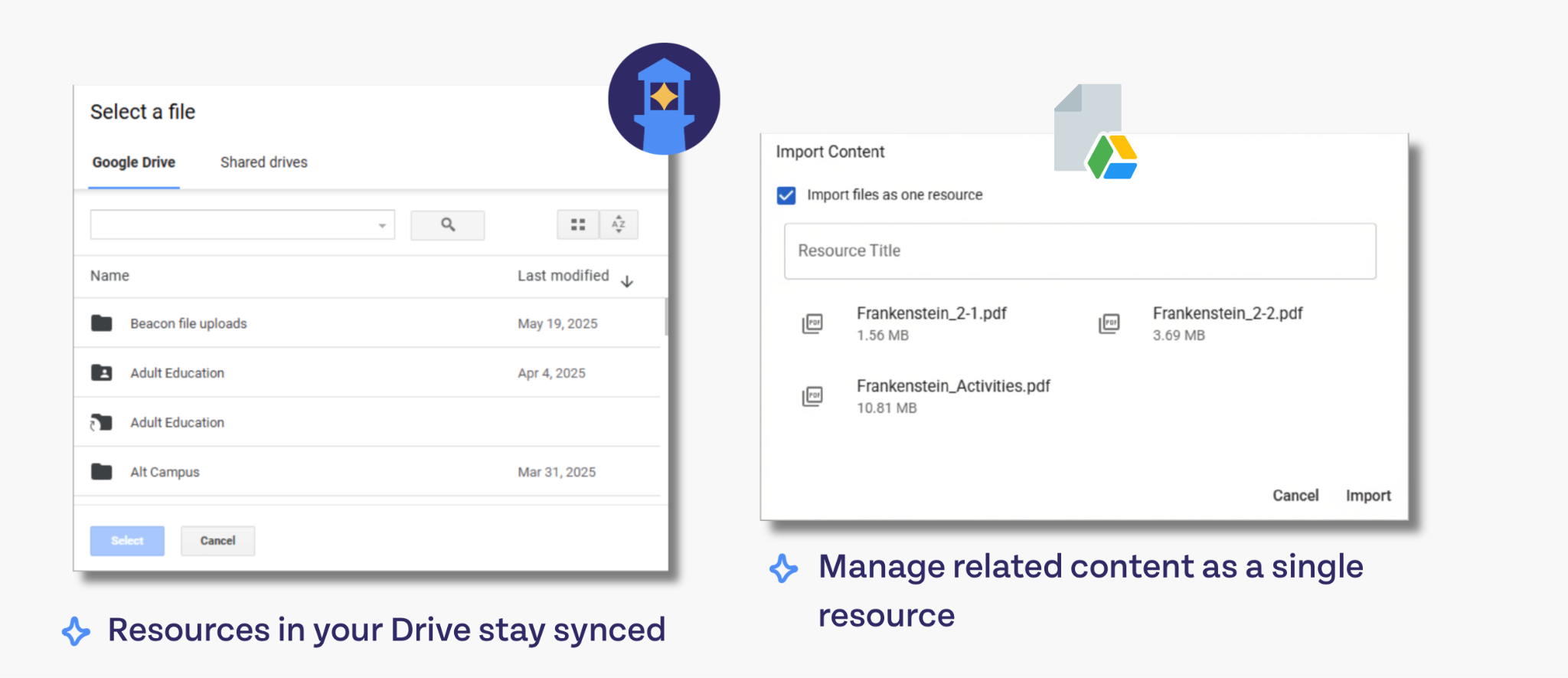
Whether you’re a Forethought user or you manage your resources through the Cloud, it can be a headache trying to figure out which version is the most current. Especially when resources are shared between team members and reused year after year, it’s a task in itself to organize multiple different versions of a single resource.
With Forethought, manually uploading resources introduced a constant battle to keep the most updated version in the planner. Beacon syncs with your Google Drive, so you always have the most updated version. You can also link to resources that live elsewhere, such as YouTube videos or articles, so that as long as the link stays up to date, you don’t have to worry about version control. While you can still upload and use PDF resources in Beacon that would require re-upload when a new version is available, you also have options for linking resources that will reduce the load when it comes time to review and update your curricula.
Admins can automatically update high-level planning documents
Another advantage of having resources centralized in Beacon is that administrators can update high-level planning, such as assessment calendars and year-at-a-glance planning documents and calendars, without needing to do any outreach via email or meetings to ensure teachers are using the most up-to-date version.
The year-at-a-glance and assessment calendar are managed in-app, so any changes made to the schedule are automatically available to teachers.
Standards management is an easier, faster process
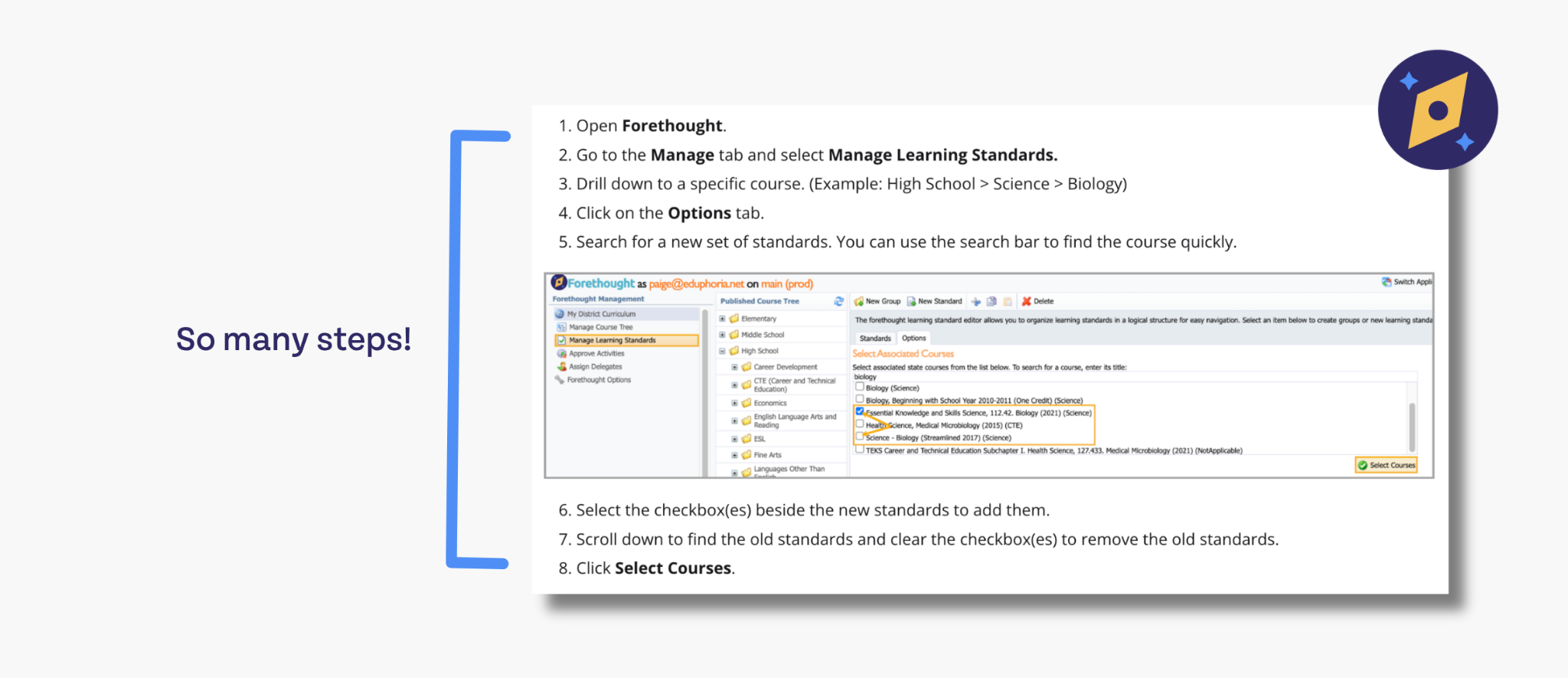
Forethought users know: updating standards can be a real hassle. It is a largely manual process that can require significant labor and time for the person or team responsible. This is because Forethought used a “Standards Tree,” essentially an interconnected set of folders.
In Beacon, standards are connected to the Scope and Sequence, which is set up by an administrator. This means that standards are automatically updated, so users don’t have to deal with standards management at all.
Collaboration is more robust
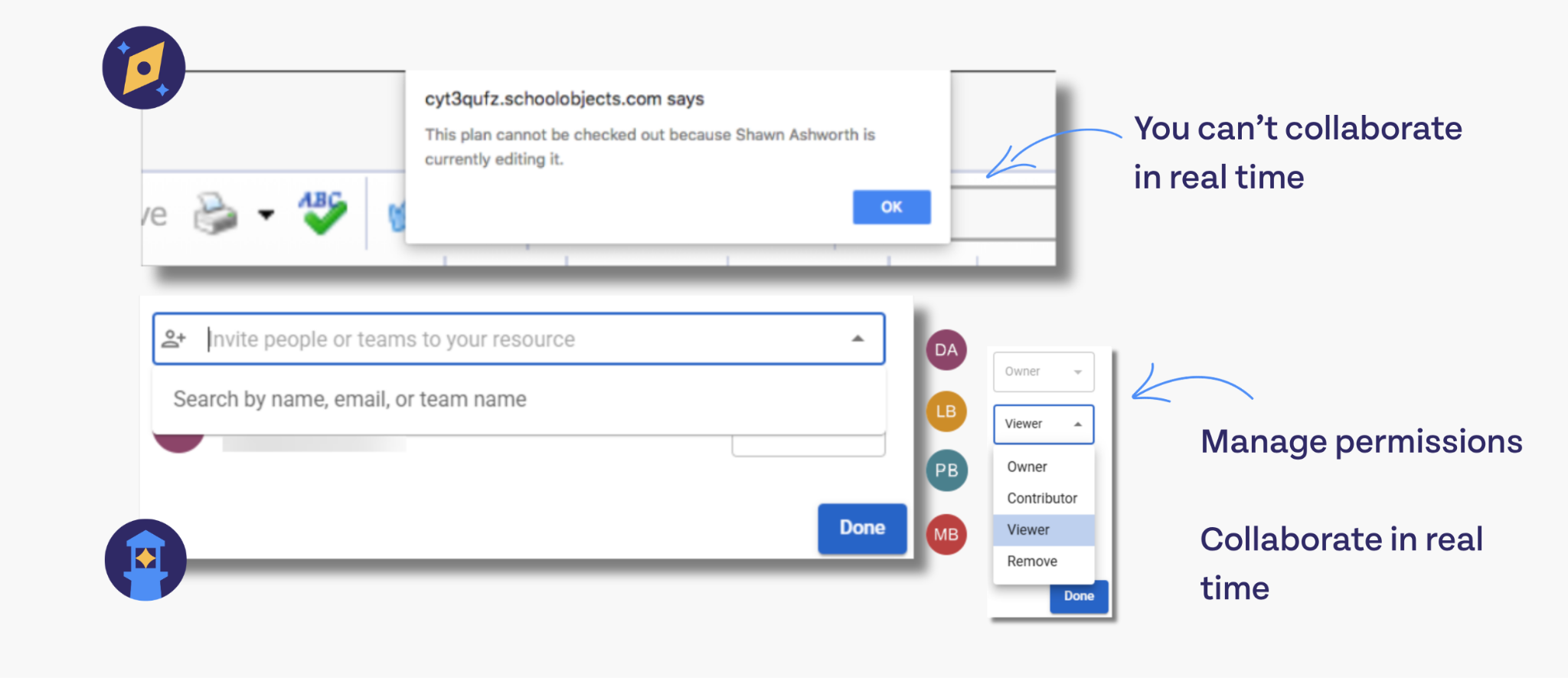
Forethought does have collaboration capabilities; for example, team members can comment on and provide feedback for resources in the planner. They can also invite collaborators to share resources and lesson plans more easily. Beacon takes that collaboration to another level.
Collaboration happens in real-time, so teams can work on the same plans on the same day. Whether for last-minute planning or productive PLC sessions, this can really change the game for building curricula quickly.
Plus, collaboration is built into the software at a structural level. If collaboration is important to your team, you can set your planners up to be shared from the start, so you all have access to the same materials, feedback, and high-level planning guidelines. This doesn’t stop teachers from having their own planning space, though.
With Beacon, teachers have the best of both worlds: Total autonomy and complete team support.
Admins have the tools for asynchronous coaching
While live collaboration is a major asset for PLCs and team planning, Beacon also enables administrators to provide feedback and coach their teams asynchronously when stopping by for a one-on-one isn’t an option.
Add instructional strategies, upload resources, and provide feedback on lesson plans, so your teams have everything they need to create and deliver high-quality lessons.
Beacon was built for multi-tasking and one-window planning
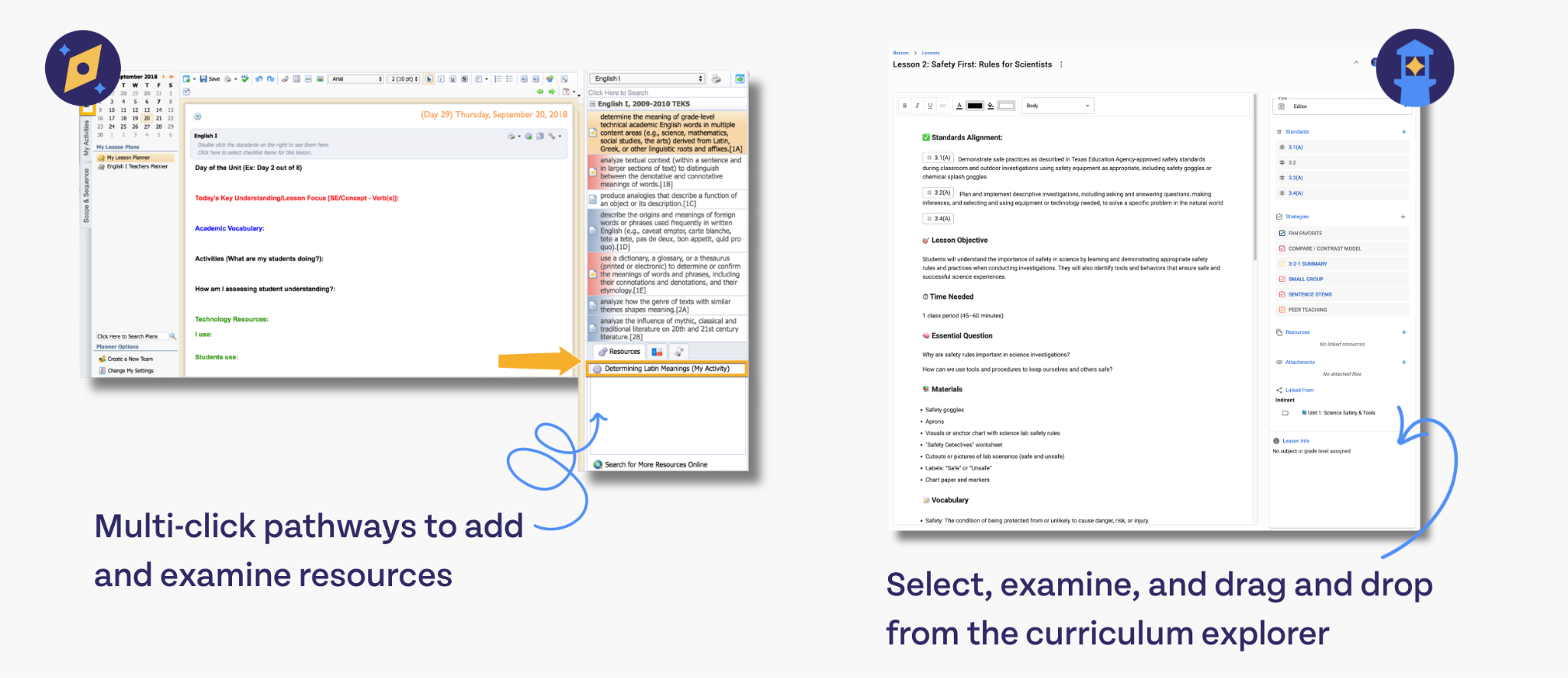
Curriculum planning can be extremely time-intensive, especially for administrators responsible for setting up the skeletons that everyone else uses to create their individual plans. Whether you need to access scope and sequence, the assessment calendar, or vertical alignment resources, you can find them all in a single window.
While you’re using the planner and creating new blocks, you can simply drag and drop what you need for each lesson from the side panel. Plus, your upcoming assessments and the standards you need to cover are already visible from your course calendar.
This is true multi-tasking. While Forethought was definitely an improvement on some other planners, which require a lot of window jumping, the user still had to do a lot of internal navigation to complete a plan.
Beacon’s improved UI makes it possible to complete your planning and resource creation without ever having to click between screens, folders, or windows.
Beacon adapts to the user’s planning preferences
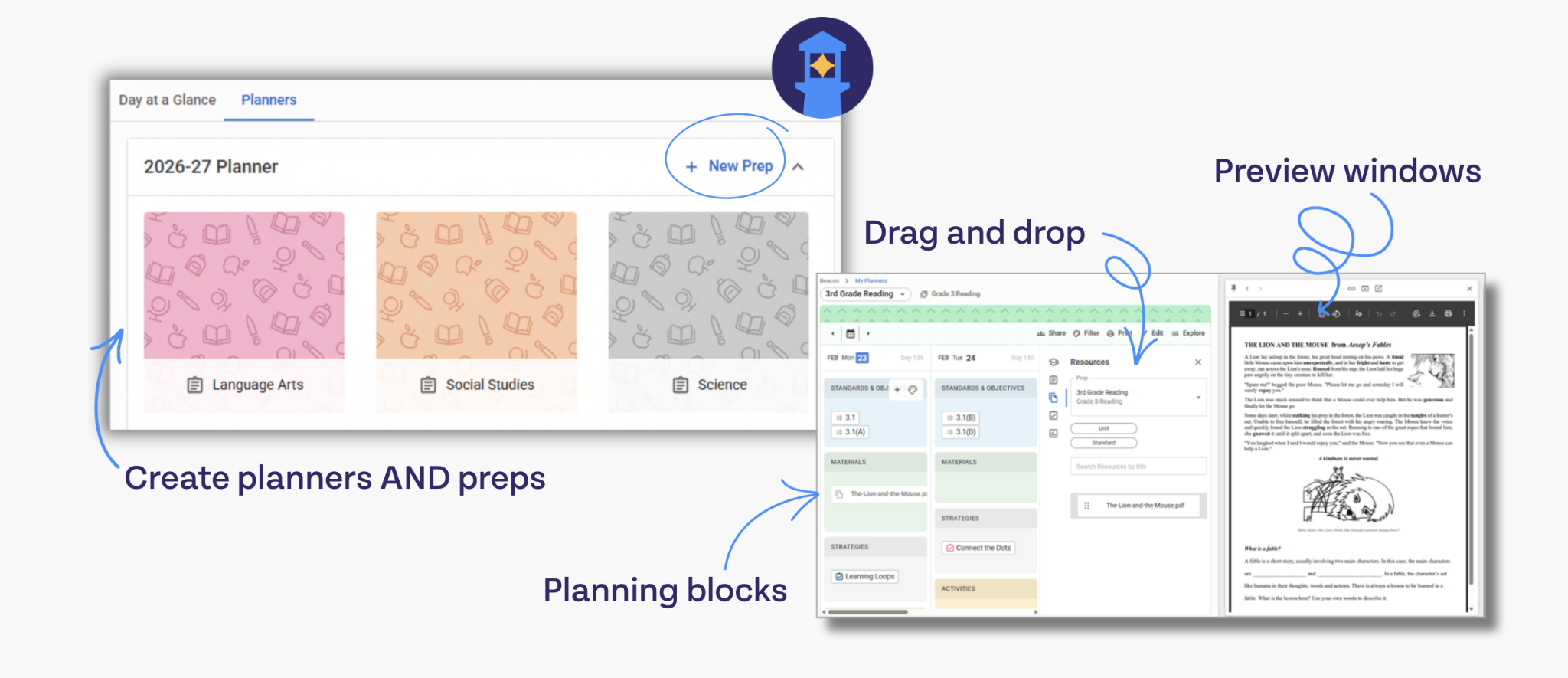
Not everyone plans the same way. Some people prefer to create a single, mega-document with everything they need for a day’s set of lessons. Some people cannot abide a planner that isn’t color-coded and categorized down to the most minute detail.
Beacon’s planner accommodates every style of planning.
We know that team structures differ across schools, districts, and states. Some singleton planners don’t need the level of collaboration that the planner can provide, but they would need intensive individual planning spaces for all of their unique preps.
Some teams keep their curricula fairly consistent across multiple teachers, classrooms, and class periods. Their shared resources and efforts at individualization would look completely different from the singleton’s planner.
Let’s talk about everything the planner can do to adapt to you.
Rich text resource creation and cloud-based resource hub
If you’re the kind of person who prefers to put all of their thoughts, links, plans, and resources into a single document, you can do that in Beacon. Create your lesson plan completely from scratch with our rich text editor. You can still easily link everything in your resource hub to your document.
However, if you prefer to link existing resources from your drive, you can also create your daily, weekly, and monthly plans using blocks where you can link everything you need for the day’s instruction.
Functional color-coded planning blocks
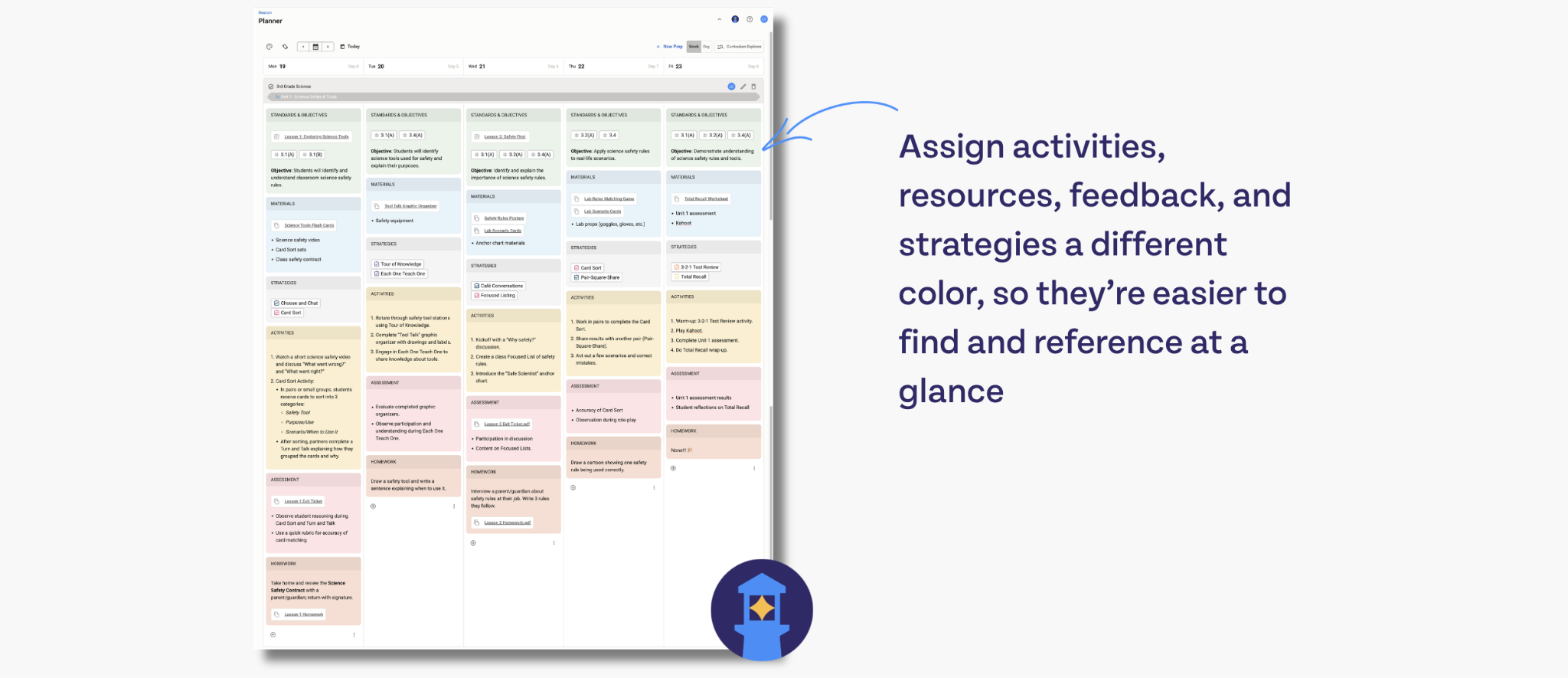
Whether you want to use a single, gray block to contain all of your content for the day’s plans, or you’d like a different colored block for every type of planning you’re doing, Beacon can accommodate you.
The great thing about Beacon’s planning blocks is that the color coding you apply to your blocks can help you locate what you need in a pinch.
Let’s say you want to assign your plans as red, your resources as green, and your lesson internalization as yellow. You can isolate any one of these aspects of your plans using the filter option.
Color-coding also makes it easier to identify at a glance what you have coming up throughout the day. Imagine you use color-coding to categorize the kind of lesson you’re teaching. Red means you’re hosting a symposium. Green means you’re doing stations. This quick, easy-to-read system can reduce the stress you feel between class periods as you prepare for the next lesson.
Drag and drop, fast and easy planning at the level of detail that suits your needs
If you prefer to link everything to your plans, you can maintain this type of planning with Beacon. However, because Beacon also houses all of your resources (across all of your locations), you can also drag and drop the essential aspects of your lesson plans from the side panel.
PDFs from purchased curricula? Drag it over. Slideshows? Drop it in. Teaching strategies? Focus standards? Videos? Simply slide them over so all you have to do is click while you’re delivering your lesson.
What if I want to transition from Forethought to Beacon?
If you’re interested in learning more about what Beacon can do for your planning, lesson delivery, and curriculum improvement, we want to help you make the transition now, before Forethought is discontinued. Simply hit the demo request button at the bottom of this article, and we’ll connect with you to plan a personalized demonstration.



.png)
.png)

.png)